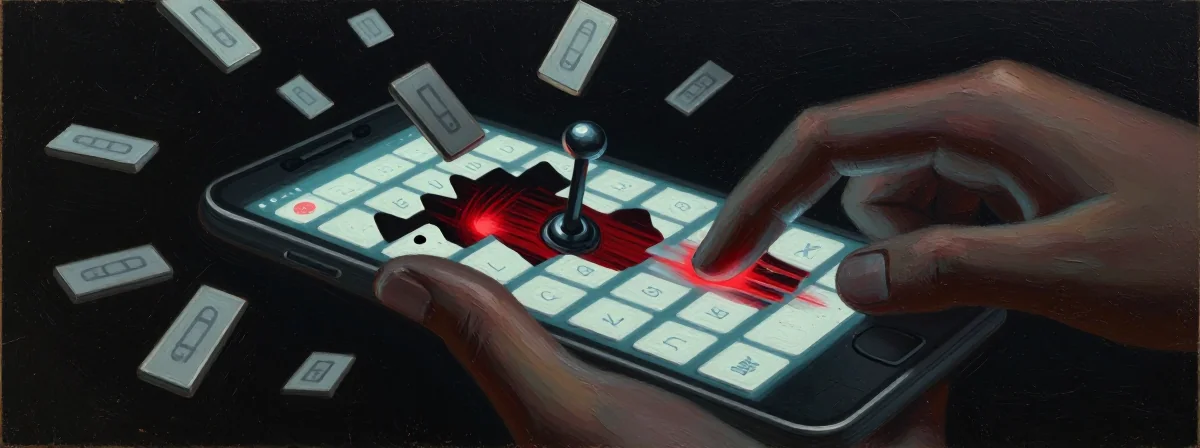
We have all been there. You are in a rush, trying to capture a fleeting thought or send a heartfelt message, and your fingers fly across the glass. You hit send with confidence, only to look up and see that your phone has replaced a perfectly human sentence with digital gibberish. That familiar spike of frustration rises in your chest—not just at the mistake, but at the betrayal of a tool that is supposed to serve you. It feels less like a typo and more like the device is actively working against you.
For years, the iPhone keyboard was the gold standard—a quiet, reliable servant that stayed out of the way. But recently, something has shifted. The keyboard feels heavier, slower, and oddly argumentative, correcting words that were spelled right in the first place or mangling simple attempts at communication. You might find yourself reaching for your laptop just to avoid the battle on your screen, wondering if the technology meant to connect us is actually driving a wedge between our intent and our output.
The root of this problem often lies not in your fingers, but in a complex web of machine learning and “helpful” features that have quietly accumulated over software updates. The system has become too eager to please, predicting your next move rather than simply recording your current one.
Is Your Keyboard Too Smart for Its Own Good?
There is a philosophical paradox at play here: the more the software tries to think for you, the less capable it becomes of doing the one thing you need it to do—typing what you actually mean. In recent iterations of iOS, Apple introduced a “Transformer” model for autocorrect. It sounds impressive, a technological leap forward meant to understand context and nuance. But in practice, it often acts like an overzealous editor who refuses to let you finish a sentence.
Consider the experience of typing the word “vengeful.” You hit every letter perfectly. You know you spelled it right. Yet, the moment your thumb leaves the spacebar, the system morphs it into “vengedil”—a word that does not even exist. This is not a bug in the traditional sense; it is a hallucination of artificial intelligence. The machine is so busy calculating probabilities that it loses sight of reality. It prioritizes what it thinks you want over what you actually typed, creating a surreal disconnect between your mind and the screen.
The Invisible Hand Guiding Your Fingers
One of the most insidious sources of this friction is a feature called “Swipe to Type” or “Slide to Type.” Even if you never intentionally swipe your finger across the keyboard, this feature is often enabled by default, sitting in the background like an unseen observer. It creates a layer of interpretation between your touch and the text.
When you type quickly, your fingers naturally drag slightly across the glass. The phone, misinterpreting this accidental movement as an intentional swipe, inserts a prediction that contradicts the letters you just tapped. It is like trying to have a conversation with someone who is constantly finishing your sentences incorrectly. By going into your settings and disabling this feature, you remove that middleman. You tell the phone: Let me speak for myself. Many who have taken this step report an immediate, almost miraculous return to typing sanity.
When Precision Fights Prediction
The modern keyboard suffers from an identity crisis. It cannot decide if it is a tool for precision or a tool for prediction. In the past, typing was a direct transfer of information—key pressed, letter appears. Now, it is a negotiation. You type, the system guesses, and often, the system overrides.
This creates a mental tax known as cognitive load. Instead of focusing on what you want to say, you are subconsciously fighting the interface, double-checking every word, slowing down to ensure the machine doesn’t “fix” something that wasn’t broken. It turns the fluid act of creation into a stuttering battle against a ghost in the machine. The anxiety of wondering “Will it change this word?” disrupts the flow of thought, making communication feel like walking through a minefield.
A Hard Reset for Your Digital Memory
Over time, your iPhone builds a “dictionary” of your habits. It learns the slang you use, the names of your friends, and unfortunately, the mistakes you make repeatedly. If you have frequently mistyped a word in the past, the phone may stubbornly insist on that error in the present, “helpfully” correcting your accurate typing back into your old bad habits.
Sometimes, wisdom is knowing when to wipe the slate clean. You can reset the keyboard dictionary in your settings, effectively giving the phone a fresh start. It forgets the learned errors and returns to a state of neutrality. It is a powerful metaphor for our own lives—carrying around old baggage often leads us to repeat the same mistakes, but sometimes we need to hit reset to move forward freely.
Knowing When to Walk Away
There comes a point in any relationship where you have to ask yourself if the tool is serving your life or complicating it. We often stick with what we know out of loyalty or habit, tolerating a “good enough” experience that actually drains our energy. If you have adjusted the settings, reset the dictionary, and the friction remains, you are not failing. The tool is simply not meeting your needs.
There is no shame in seeking alternatives. Whether that means installing a different keyboard—like Gboard, which many have found offers a smoother, less intrusive experience—or even considering a different ecosystem entirely, the goal is peace of mind. Technology is meant to be a bridge to your work and your loved ones, not a wall you have to climb over every time you want to say hello.
Reclaiming Your Voice
At its core, the frustration with the keyboard is a frustration with agency. It is the feeling that your voice is being filtered, altered, and diminished by a machine that claims to know better. But your voice—your specific, human, imperfect, and precise voice—is worth preserving.
We navigate a world that increasingly wants to automate our thoughts, to predict our desires before we even feel them. But there is profound power in doing things deliberately, in choosing each word and ensuring it lands exactly as intended. Fixing the keyboard is not just about a setting on a phone; it is about reclaiming the space for your own thoughts to exist without interference. Turn off the noise, reset the clutter, and let your words be your own again.