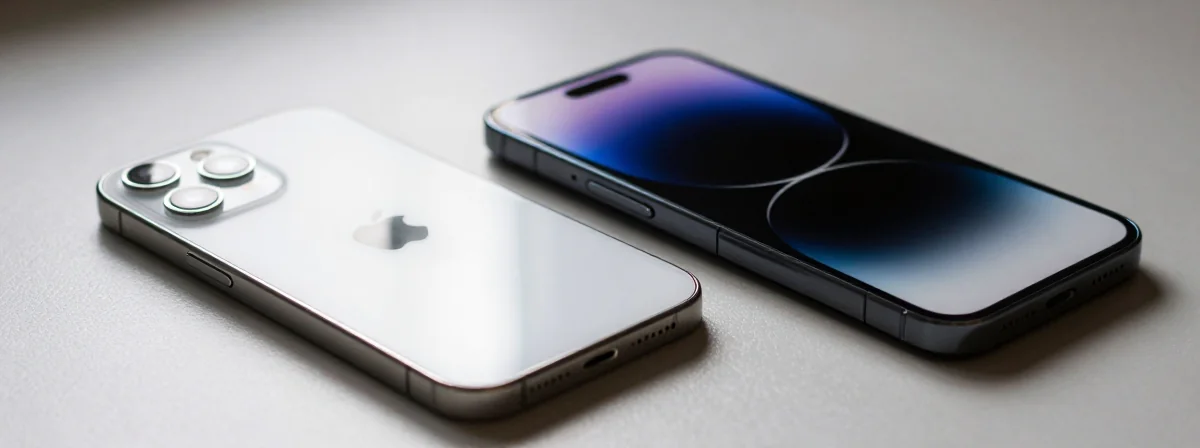
You know that feeling when you’re ready for a change but don’t want to jump into something completely new without knowing what you’re getting into? That’s exactly where you are if you’re thinking about leaving the Apple ecosystem. It’s not just about swapping devices—it’s about understanding what you’re actually looking for in a phone these days. Most of us just want something that works well without costing an arm and a leg, right?
When you’re coming from Apple, there’s this whole new world of options to consider. You’ve got Android phones with different philosophies, varying levels of customization, and yeah, some that are way more budget-friendly than anything Apple offers. The key is finding that sweet spot where you get what matters most to you—like a camera that actually takes good pics and battery life that doesn’t die by noon—without overspending.
I’ve seen plenty of folks get overwhelmed by all the choices out there. That’s why it helps to break it down to what really matters: what do you actually need in a phone? Let’s walk through some real-world considerations that might just make this whole process a lot simpler.
What Makes a Phone Actually Worth Switching For?
Look, nobody wants to spend hours researching phones only to end up with something that’s just… okay. You’re looking for that magic combination of features that make the switch feel worthwhile. And honestly? It’s usually not about having every single bell and whistle—it’s about having the right ones.
Take camera quality, for instance. We’ve all been there: you see something cool and whip out your phone, only to be disappointed by the picture quality later. That’s why a decent camera is pretty high up on most people’s list. But here’s the thing—what “decent” means can vary wildly. Are you shooting mostly indoors? Outdoors? Low light? These all matter when you’re evaluating camera quality.
Battery life is another big one. There’s nothing quite like that sinking feeling when your phone hits 10% in the middle of the day with no charger in sight. When you’re comparing options, look at real-world usage reviews—not just the manufacturer’s claims. A phone that promises “all-day battery” might mean something very different depending on who you ask.
And let’s not forget about size. Those giant phones might look impressive, but if you’ve got small hands or just prefer something more manageable, a compact option is worth seeking out. That’s why phones like the Samsung S23 series (no Ultra, no Plus) or certain Pixel models keep coming up in conversations—they hit that sweet spot of being powerful without being unwieldy.
Why Budget Phones Can Actually Be the Smartest Choice
It’s easy to fall into the trap of thinking “more expensive = better,” but that’s just not always true with phones. Sometimes, the most expensive options are loaded with features you’ll never use while skimping on the ones that actually matter to you. That’s why looking at budget-friendly options can actually save you money and frustration in the long run.
Take the OnePlus 11 that was mentioned—it’s got a great reputation, but if it’s too big for your hands, what’s the point? Same goes for the Pixel 9—if you can’t find it under 450 euros used, it’s probably not the right deal for you. The smartest approach is to identify what features you absolutely need and then find the phone that delivers on those points without breaking the bank.
Used phones can be a goldmine too. A relatively new model that’s a generation or two old often still has most of its original capabilities but comes with a significantly lower price tag. That’s how you can get that “new” phone feeling without the new phone price. Just be sure to check the condition and any potential wear that might affect performance.
And here’s a pro tip: don’t get caught up in brand loyalty. Every manufacturer has its strengths and weaknesses. Some excel at cameras, others at battery life, and some at software experience. The goal is to find the phone that aligns with what you value most—not what some marketing campaign told you to want.
Compact Phones That Actually Fit in Your Hand
Let’s talk about size for a minute. Those massive phones might look cool in ads, but they’re not always practical for everyday use. If you’ve got small hands, prefer a phone that fits in your pocket without bulging, or just don’t want to feel like you’re holding a tablet, a compact option is worth considering.
Phones like the Samsung S23 series (we’re talking the regular S23, not the Ultra or Plus models) hit that sweet spot perfectly. They’re powerful enough to handle everything you throw at them but small enough to actually use one-handed. And when you’re coming from Apple, where the iPhone sizes have been pretty consistent, this can be a welcome change.
The Pixel 8 also comes up often in these conversations for good reason. It’s got that clean Android experience Google is known for, plus a camera that consistently delivers great results. And at around 350 euros used, it’s a pretty compelling option if you can find one in good condition.
For those who want even more flexibility, older OnePlus models can be great too. While the newer ones might be too big, models like the OnePlus 11 (if you can find them in the right size and price range) offer a smooth experience without the massive footprint.
Custom ROM Support: Why It Matters More Than You Think
If you’re the type who likes to tinker with your devices, custom ROM support is something you’ll definitely want to consider. This is where phones like the Pixel series really shine—they’re known for their unlockable bootloaders and strong support from the developer community, particularly for LineageOS.
Having a phone that supports custom ROMs gives you options down the line. Maybe you want to try a different Android version before it’s officially released, or perhaps you want to strip away all the bloatware that comes with manufacturer skins. Whatever your reason, knowing you can install a custom ROM can extend the useful life of your phone significantly.
When looking for phones with good custom ROM support, consider models that are known for their clean Android experience and strong developer communities. Pixels are obvious choices, but don’t overlook other manufacturers who have built up good relationships with the modding community over the years.
And if you’re coming from Apple, where everything is locked down tight, this level of customization might seem overwhelming at first. But trust me, once you get used to having options, you’ll wonder how you ever lived without them. It’s like upgrading from a basic cable package to having access to every channel under the sun—you might not use all of them, but it’s nice to know they’re there when you want them.
Charging Solutions for Every Situation
While we’re on the topic of phones, let’s quickly touch on something that often gets overlooked: charging solutions. This is especially important if you’re helping someone who might have mobility issues, like someone recovering from surgery.
For devices like the Samsung Galaxy ZFlip 6, having the right charging cable can make all the difference. A 6-foot USB-C to A cable plugged into a power strip next to a chair is a game-changer for someone who can’t easily move around. It gives them the freedom to use their device comfortably without having to constantly worry about charging.
When selecting a charging cable, quality matters. Look for options that are built to last—thicker wiring, reinforced connectors, and certifications that ensure they won’t damage your device. And while price doesn’t matter in this specific case, it’s always good to remember that sometimes you do get what you pay for when it comes to charging accessories.
The same goes for power blocks. If you’ve got older Samsung blocks lying around, they might not be compatible with newer devices, which is why knowing what works with what can save you from unnecessary frustration. Always check compatibility before assuming something will work.
What Nobody Tells You About Email Notifications
Speaking of things that can be frustrating, have you ever noticed how Gmail continues to highlight emails you’ve already read? It’s one of those small annoyances that can add up over time, creating a constant sense of “I must have missed something” even when you haven’t.
This persistent highlighting is designed to keep you engaged with your inbox, but it often has the opposite effect—it creates anxiety and makes it harder to actually process your emails. The constant visual reminder that you have unread (or seemingly unread) emails can be mentally taxing, especially if you’re trying to focus on other tasks.
The solution? Take control of your notification settings. Gmail offers plenty of customization options that let you decide exactly how and when you’re notified about new emails. You can create filters, set up labels, and adjust your notification preferences to create a system that works for you—not one that’s designed to keep you constantly checking your inbox.
And remember, it’s okay to not be immediately responsive to every email. Setting boundaries around your email checking habits can actually improve your productivity and reduce stress. After all, most emails don’t require an immediate response—unless it’s an emergency, you’ve got plenty of time to address them properly.
Sideloading Changes: What You Need to Know
If you’re someone who likes to install apps from sources other than the official app store, you’ve probably heard about the recent changes to sideloading permissions. These changes affect how you can install APK files from Godot or Android Studio, and they’re worth understanding if you value this flexibility.
The good news is that if you export an APK from either Godot or Android Studio, you should still be able to install it on your phone—just be prepared to adjust some settings to allow installation from unknown sources. The process varies slightly between devices, but it’s generally straightforward once you know where to look.
For those with rooted devices, the situation is a bit different. Rooted devices often have the ability to fully bypass these sideloading restrictions, giving you the same level of flexibility you had before the changes. However, rooting your device comes with its own set of risks and considerations, so it’s not something to undertake lightly.
The key takeaway here is that while the sideloading landscape has changed, you still have options. It might require a few extra steps or some configuration, but installing apps from sources other than the Play Store is still possible for those who need or want to do so. Just be sure to understand the implications and requirements for your specific device.
The Simple Truth About Choosing a New Phone
At the end of the day, choosing a new phone comes down to a few simple truths. You want something that works well for your specific needs, fits within your budget, and doesn’t cause more problems than it solves. It’s not about having the latest and greatest—it’s about having the right tool for your particular situation.
When you’re coming from Apple, it’s easy to get overwhelmed by all the options in the Android world. There are so many manufacturers, so many models, and so many features to consider. But if you focus on what really matters to you—whether that’s camera quality, battery life, size, or customization options—you can narrow down the choices pretty quickly.
Remember that used phones can be excellent options, especially if you’re on a budget. A well-maintained phone that’s a generation or two old often still has most of its original capabilities but comes with a significantly lower price tag. Just be sure to check the condition and any potential wear that might affect performance.
And finally, don’t be afraid to think outside the box. Maybe a compact phone is exactly what you need, even if you’ve been using larger devices for years. Maybe custom ROM support is more important to you than you realized. Whatever the case, trust your instincts and choose the phone that aligns with what you value most.
Because at the end of the day, the best phone is the one that fits seamlessly into your life without causing unnecessary stress or frustration. And that’s something worth seeking out, no matter what ecosystem you choose to join.