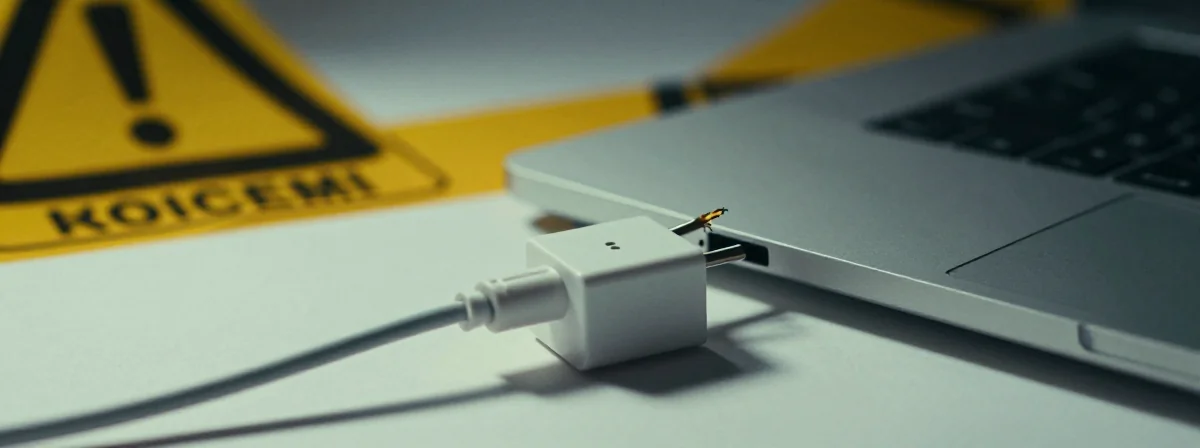
You’re rushing to finish that important presentation, video call, or just trying to get through another workday when you notice it—the telltale sign of trouble. That loose connection in your laptop charger that seems to get worse with every use. You’ve been putting off dealing with it, maybe taping it up or just being extra careful, but what if I told you that small problem could lead to catastrophic failure?
That damaged charger in your hand isn’t just inconvenient; it’s a potential pathway to disaster for your entire system. The moment you see those exposed wires or feel that connection slipping is the moment you need to pay attention—before you plug it in one more time.
Statistics show that electrical failures account for a significant percentage of laptop damage, and many of these start with exactly what you’re dealing with right now: a compromised charger connection.
Can You See the Wires? That’s Your Red Alert
When you tug on your charger and the casing opens to reveal the inner workings, you’re witnessing the beginning of the end. That loose connection might seem minor—after all, you can put it back together, right? But here’s the harsh truth: once you can see the copper wiring inside, you’re playing with fire, literally.
“What’s the worst that could happen?” you might ask. Imagine this scenario: you’re in the middle of an important task, the connection slips, and those exposed wires make contact. Instead of just losing power, you feel that sickening zap through your fingertips as your laptop instantly shuts down. The damage isn’t just to your day—it’s to your entire system. The electrical surge can fry your motherboard, destroy your hard drive, and leave you with a paperweight where your laptop used to be.
That exposed wiring isn’t just a nuisance; it’s an invitation for disaster. Every time you plug that charger in, you’re rolling the dice with thousands of dollars of equipment.
Electrical Tape and Glue: Temporary Bandages on a Bleeding Wound
You might be tempted to try the quick fixes others have suggested—electrical tape to hold it in place, a dab of glue to secure the connection. These solutions offer a false sense of security. While they might work for a day, a week, or even a month, they’re merely delaying the inevitable.
I’ve seen it happen countless times: someone tapes up a damaged charger, it works fine for a while, and then one day—nothing. The connection fails at the worst possible moment, and now there’s added damage because the makeshift repair couldn’t handle the electrical load.
The copper wires you can see aren’t just conductors; they’re the lifelines of your charging system. When they’re exposed, they can shift, touch each other, or make contact with metal surfaces, creating short circuits that can send damaging surges throughout your laptop.
Think of it like this: that damaged charger is like a leaky pipe in your home’s plumbing system. You can put a bucket under it, you can patch it temporarily, but until you replace the damaged section entirely, you’re just managing the damage, not solving it.
The eBay Solution: Why Replacement Is Your Safest Bet
When faced with a damaged charger, the most straightforward solution often comes from the most unexpected places. Searching eBay for your model’s replacement charger might seem like a hassle—dealing with different sellers, worrying about compatibility—but it’s the safest path forward.
Here’s what you need to know about finding a replacement:
- You don’t need the exact same brand
- Compatibility with your laptop model is more important than brand matching
- Prices typically range from $10 to $30 for most standard chargers
- Look for sellers with high ratings and clear return policies
The beauty of this solution is its simplicity. Instead of constantly worrying about your makeshift repair, you can plug in a new charger with confidence. No more fiddling with connections, no more anxiety about whether today will be the day it finally gives out.
Imagine the peace of mind that comes with knowing your charging system is reliable. No more wiggling the connector to find the sweet spot, no more sudden shutdowns during important tasks. Just consistent, worry-free power for your laptop.
What Happens If You Ignore the Warning Signs?
You might be tempted to keep using that damaged charger, especially if you’ve found temporary workarounds. After all, it still charges your laptop, right? But here’s what’s happening behind the scenes:
That compromised connection creates resistance in the electrical flow. This resistance generates heat—heat that can damage both the charger and your laptop over time. It’s like driving your car with a failing engine component; you might get where you’re going today, but you’re accelerating the inevitable breakdown.
The electrical engineers who design these systems build them to handle specific loads under optimal conditions. When you introduce damaged components into the equation, you’re creating conditions that were never intended to exist. The result? Accelerated wear on your laptop’s internal components, potential data corruption, and the ever-present risk of catastrophic failure.
Think about the cost-benefit analysis: spending $20 on a new charger now versus potentially thousands repairing or replacing your laptop later. The math is simple, even if the inconvenience of finding a replacement feels significant in the moment.
Your Action Plan: From Problem to Solution
Dealing with a damaged laptop charger doesn’t have to be overwhelming. Here’s a clear path forward:
Stop using the damaged charger immediately: Unplug it and set it aside. Every moment you use it increases the risk.
Assess the damage: Take a photo of the damage if possible. This will help you search for compatible replacements and show sellers exactly what you need.
Search for replacements: Use sites like eBay, Amazon, or specialized laptop parts retailers. Focus on compatibility with your specific laptop model.

Make the purchase: Don’t delay—get a new charger as soon as possible. The cost is minimal compared to the potential damage.
Proper disposal: When your new charger arrives, dispose of the damaged one safely. Many electronics stores offer recycling programs for old chargers.
Prevent future issues: When you receive your new charger, examine it for any signs of damage before first use. Establish a habit of checking your charging equipment regularly.
This process might seem like overkill for what appears to be a minor issue, but remember: electrical systems don’t operate in isolation. That damaged charger isn’t just a power source—it’s a critical component in your entire computing ecosystem.
The Hidden Danger You Can’t See
While we’ve focused on the visible damage—loose connections, exposed wires—there’s another threat that’s even more insidious: internal damage you can’t detect just by looking.
When a charger begins to fail, the internal components can degrade in ways that aren’t immediately apparent. The voltage regulation circuits might fail, sending unstable power to your laptop. The insulation between wires could degrade without visible signs, creating hidden pathways for electrical shorts.
This hidden danger is why replacing your charger is always the safer option. You can’t see these internal issues, but they can cause just as much—or even more—damage than the visible problems.
Think about it this way: would you trust a doctor who only treated your visible injuries while ignoring potential internal problems? Of course not. Your laptop deserves the same comprehensive care. Addressing only the visible damage while ignoring potential internal issues is like treating only the symptoms of a disease without addressing the root cause.
What Laptop Manufacturers Don’t Tell You About Charger Damage
The truth is, laptop manufacturers would rather you replace your entire laptop than deal with charger issues. That’s why they often make replacement chargers expensive and proprietary. It’s a business strategy, not necessarily a reflection of the actual cost or complexity of charger manufacturing.
What they don’t tell you is how relatively simple and inexpensive it is to replace a damaged charger. They also don’t emphasize how critical charger health is to the longevity of your laptop. After all, a failing charger that damages your laptop means more sales for them.
The knowledge that replacement chargers are widely available and inexpensive is power—power that can save you from unnecessary expenses and preventable damage. Don’t let the fear of proprietary systems or high prices deter you from taking the safe route.
The Single Idea That Changes Everything
Here’s the truth that changes everything about how you view that damaged charger: it’s not just a minor inconvenience; it’s a critical system failure waiting to happen. Every time you plug it in, you’re not just charging your laptop—you’re playing a dangerous game with your entire system.
The loose connection, the exposed wires, the makeshift repairs—they’re all symptoms of a deeper problem that won’t fix itself. The solution isn’t more tape, more glue, or more careful handling. The solution is replacement, plain and simple.
When you finally replace that damaged charger, you’ll experience a subtle but significant shift—a sense of security that extends beyond just having power for your laptop. It’s the peace of mind that comes from knowing you’ve addressed a potential disaster before it could unfold.
That small act of replacing a damaged charger isn’t just about fixing a problem; it’s about respecting the delicate balance of your entire computing ecosystem. It’s about recognizing that every component, no matter how small, plays a vital role in the system’s overall health and longevity.
The next time you see that loose connection or feel that compromised connection, you’ll know what to do. You’ll recognize the warning signs for what they are—not minor inconveniences, but critical signals that demand your immediate attention. And that awareness, that understanding, is the first step toward protecting your technology and, by extension, your productivity, your data, and your peace of mind.