
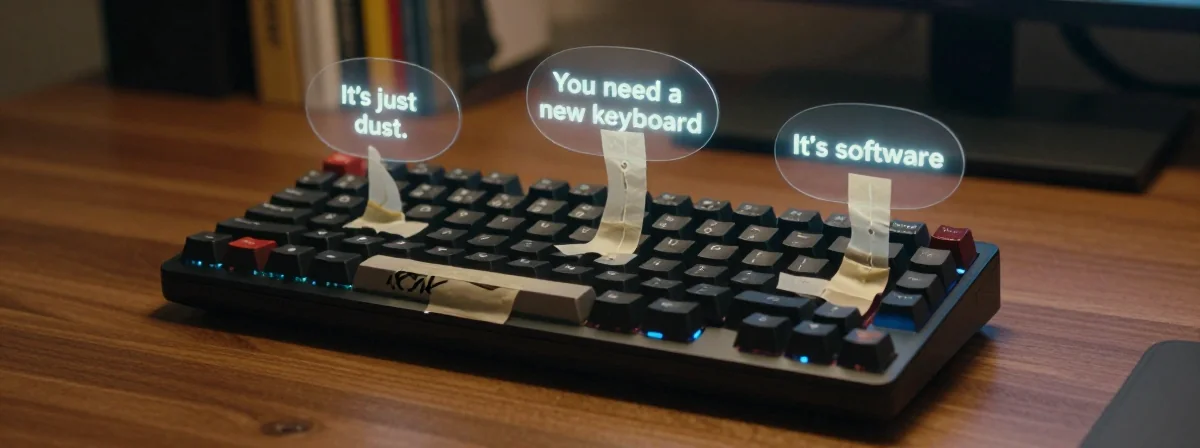
There is nothing quite as jarring as the resistance you feel when you press a key that has decided to stop cooperating. It shouldn’t feel like a workout to type a sentence. When the tactile feedback is compromised, the flow of creativity dies. You push down, expecting a satisfying thock, but instead, you meet a wall of resistance.
This usually happens when the inevitable happens: a sugary drink wanders too close to your workstation. The result is a sticky keyboard, a tactile nightmare that ruins the aesthetic of a clean desk and destroys the performance of your workflow.
You might think you know how to fix it, but most people are fighting the wrong battle. Here is how to actually handle the sticky key crisis without sacrificing your sanity or your device.
The Surface Level Trap: Why Damp Towels Fail
The instinct is immediate and understandable. You see the residue, you grab a paper towel, and you dampen it. You wipe it down, feeling a sense of relief as the surface looks clean. You try typing, and it feels marginally better. So, you stop there.
You are falling for the surface-level trap.
The problem with a simple damp wipe is that it only cleans the visible top layer. If a sugary spill has seeped underneath the keycaps, that damp towel is doing absolutely nothing. You might even be spreading the sticky residue around, making it harder to identify exactly which keys are failing.
It feels productive, but you are essentially putting a bandage on a bullet wound. You need to go deeper to truly restore the performance of your input device.
The Deep Clean: Soaking It Out
If the keys are still sticking, or if you can feel grit underneath the switches, it is time for a more aggressive approach. This is where the magic of isopropyl alcohol comes into play.
You don’t want to just spray it and hope for the best—that is a recipe for a short circuit. Instead, you need to remove the keycaps entirely. Once they are off, you can submerge the affected switches in a solution of isopropyl alcohol. This isn’t just cleaning; it is a chemical dissolution. The alcohol cuts through the sugar residue and any sticky oils left behind.
It is a risky maneuver. You have to be absolutely sure your device is water-resistant enough to handle a soak, and you need to be patient while it dries completely. But when you finally type again, you realize just how much performance was being choked by that layer of grime. The keys should feel light and responsive, not like they are fighting you.
The Portability Dilemma: When to Switch Gear
Sometimes, the damage is too deep. Maybe you spilled a latte directly onto the motherboard, or maybe you just don’t want to deal with the hassle of disassembling your laptop every time you spill something. When the hardware is compromised, the best design choice is often to change the hardware entirely.
Many people immediately jump to a full-sized external keyboard. It feels like the “pro” move. You get a mechanical switch feel, a satisfying click, and a layout that is comfortable for long hours of typing. The aesthetic is clean: your laptop is closed, and the keyboard is open.
The downside is mobility. You are lugging around extra weight. You have to find a place to put it on your desk. It breaks the seamless flow of having everything contained within your laptop chassis.
The Foldable Solution: Aesthetic Minimalism
This is where the foldable membrane keyboard changes the game. These are often dismissed as cheap accessories, but they are a brilliant piece of design for specific use cases.
They fold up like a mat, making them incredibly portable. You can slide them into a backpack or a laptop sleeve without adding bulk. They are thin, lightweight, and unobtrusive. Best of all, they are cheap. If you ruin one, it isn’t a financial tragedy.
You can even place them directly on top of your laptop’s keyboard if you need a flat surface. They provide a barrier between your fingers and the sticky mess underneath, effectively turning your laptop into a temporary stand. It solves the mobility issue and the aesthetic issue at the same time.
Restoring the Tactile Experience
At the end of the day, technology is about the interaction between human and machine. A keyboard is an extension of your hands. When that connection is broken by stickiness or poor design, it hampers your ability to express yourself.
Whether you choose to dive in with a bottle of isopropyl alcohol and a screwdriver, or you choose the sleek, space-saving elegance of a foldable membrane mat, the goal is the same: to get back to a state of effortless interaction. Don’t let a simple spill ruin your workflow. Fix it, or replace it, but keep typing.