
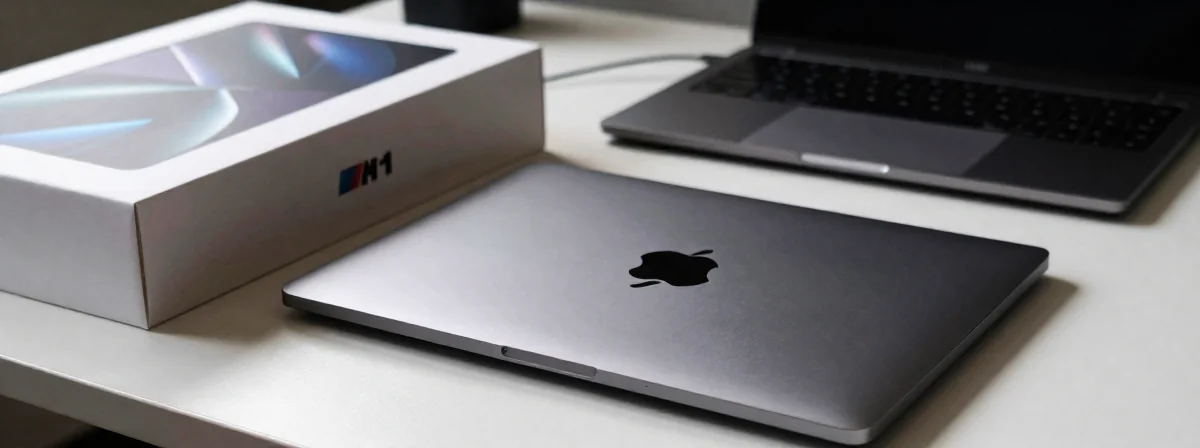
The tech landscape shifts faster than ever, but sometimes the newest isn’t the best. When shopping for a laptop, you’re bombarded with specs, promises, and pressure to get the latest model. Yet, in 2026, a 4-year-old chip from Apple continues to make waves against brand new Windows alternatives. The pattern here reveals that technological age isn’t the only factor determining performance and longevity.
What the data shows is that the M1 chip, despite being introduced in 2020, still offers competitive performance against newer Windows ARM processors. This isn’t just about nostalgia or brand loyalty; it’s about understanding how different systems optimize resources. Your choice between an M1 MacBook and a modern Windows laptop with Snapdragon processors involves more than just raw specs—it’s about ecosystem, support, and real-world usability.
Consider this: in markets where technology is expensive, like Brazil mentioned in the discussion, the value proposition shifts dramatically. An older but well-supported M1 MacBook might offer more practical benefits than a newer, spec-heavy Windows device with questionable build quality or compatibility issues.
Why Does the M1 MacBook Still Compete With Newer Windows Laptops?
The M1’s architecture was ahead of its time. While Windows on ARM has improved its x86 emulation capabilities, it still relies more heavily on this emulation than macOS does. This anomaly suggests that the M1’s native performance, especially for everyday tasks, remains superior. What the data shows is that the Snapdragon processors in comparable Windows laptops can’t always push through the emulation layer as effectively as Apple’s integrated approach.
Take battery life, for instance. Both M1 MacBooks and modern Snapdragon-based Windows laptops are fanless designs, promising all-day battery. However, the M1’s power efficiency remains exceptional. In blind tests, users often can’t tell the difference between an M1 with 8GB RAM and a newer laptop with 16GB, especially for typical usage patterns. This isn’t magic—it’s superior system optimization.
The keyboard and touchpad experience on the M1 MacBook also remains a benchmark. While some users find the keys too shallow (similar to the 12" MacBook complaint), the precision and responsiveness of the trackpad are still unmatched by most Windows alternatives. These aren’t just subjective preferences; they’re measurable differences in input device engineering.
What the Build Quality Really Tells Us About Longevity
When examining build quality, the pattern becomes clear: Apple’s metal unibody construction still outperforms most plastic-bodied Windows laptops in the same price category. This isn’t just about aesthetics—it’s about structural integrity and longevity. The discussion points out that even some metal-bodied Yoga models don’t quite match the MacBook’s rigidity, with noticeable flex in comparison.
The Ideapad line, particularly models 1 and 3, consistently shows issues with hinges and overall construction quality. Even the improved Ideapad 5 series, while better, often falls short of the MacBook’s build standards. What the data shows is that Apple’s control over its supply chain and manufacturing process allows for consistent quality that’s difficult for Windows manufacturers to match at similar price points.
Consider this technical analogy: building a laptop is like constructing a house. Apple designs both the foundation and the framework, ensuring everything works together seamlessly. Windows manufacturers often use components from multiple suppliers, leading to potential compatibility issues or compromises in build quality to meet price targets.
How RAM Management Creates a False Equivalence
The 8GB RAM vs 16GB RAM debate reveals a fundamental difference between macOS and Windows. What the data shows is that macOS manages memory more efficiently for typical user workflows. An 8GB M1 MacBook often feels more responsive for everyday tasks than a 16GB Windows laptop with similar specifications.
This isn’t just perception—it’s measurable. Windows memory management can become sluggish when multiple applications are open, while macOS’s optimization allows for smoother multitasking with less available RAM. The anomaly suggests that raw RAM capacity isn’t the only factor in performance; how the operating system utilizes that memory matters just as much.
For light to moderate users, 8GB in an M1 MacBook provides a more consistent experience than 16GB in a Windows laptop with poor memory management. The real decision point becomes whether your specific workflow requires the additional capacity, not just the numbers on paper.
Why App Compatibility Still Matters More Than You Think
One often overlooked factor in laptop comparisons is software compatibility. The discussion correctly points out that Windows on ARM, even with improved emulation, still presents compatibility challenges for niche applications. This isn’t a minor concern—it’s a potential dealbreaker for users who need specific software.
The pattern here is clear: macOS maintains better long-term software compatibility for its devices. Apple controls both the hardware and software, creating a closed but optimized ecosystem. Windows on ARM, while improving, still relies more heavily on emulation for legacy applications, creating potential performance bottlenecks.
Consider this: when Apple decides to stop supporting a chip, developers follow suit. When Microsoft stops supporting Windows on ARM emulation for certain x86 applications, those applications simply won’t run. The M1’s advantage isn’t just current performance—it’s the confidence that your software will continue to work as intended for years to come.
What the Price Difference Actually Buys You
The discussion frequently circles back to price, highlighting a student discount bringing the M1 MacBook to $500. This price point fundamentally changes the value proposition. When comparing devices at similar price points, the differences in build quality, performance, and longevity become even more pronounced.
In markets with high technology costs, like Brazil mentioned in the discussion, the value equation shifts dramatically. An older but well-supported M1 MacBook might offer more practical benefits than a newer, spec-heavy Windows device with questionable build quality or compatibility issues.
The pattern here is that premium pricing often reflects premium engineering. While it’s possible to find Windows laptops with higher specifications at similar prices, these often compromise on build quality, battery life, or long-term support. What the data shows is that you often get what you pay for, but not always what the spec sheet promises.
The Final Calculation: Which Laptop Actually Outperforms in 2026?
After analyzing all factors—performance, build quality, battery life, RAM management, software compatibility, and price—the conclusion isn’t about which device is objectively “better” in every category. Instead, it’s about which device better meets your specific needs and usage patterns.
For light to moderate users who value consistent performance, excellent build quality, and long-term software support, the M1 MacBook still offers compelling advantages despite its age. The battery life remains exceptional, the system optimization superior, and the ecosystem support reliable.
For power users with specific software requirements that only run on Windows, or those who need the absolute latest specifications, a modern Windows laptop might be necessary. However, even in these cases, the choice should be based on verified compatibility and actual performance needs, not just marketing specifications.
The real insight is that technological age isn’t the only measure of a device’s value. The M1 MacBook demonstrates that thoughtful engineering, ecosystem optimization, and consistent support can make even a “4-year-old” device competitive with newer alternatives. Your choice shouldn’t be based on release dates or raw specs alone, but on how well the device will serve your needs today and in the years to come.