
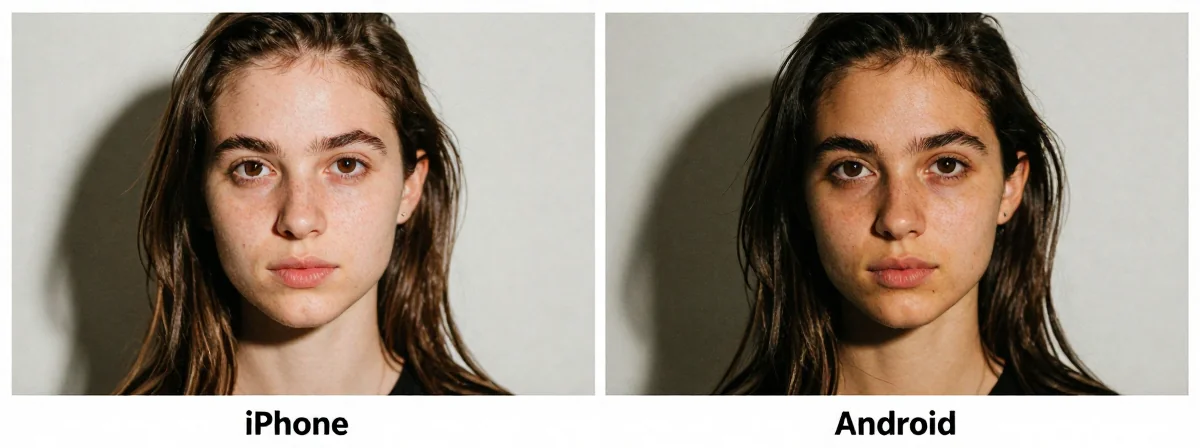
People keep asking me: “Which phone actually works best as a webcam?” It seems like every other day, a new feature promises to solve our video call woes—until you try it yourself. Here’s the thing nobody’s talking about: the difference isn’t just about specs or ecosystems, but about what happens when you actually sit down to use it.
The Insight
SIDE A
Apple’s approach is elegant simplicity—when you own the whole ecosystem. With an iPhone, the camera becomes a webcam with just a few taps, but it’s locked to Macs. It’s like having a key that only opens one door. The quality is stunning, and the system even lets you use the wide-angle lens for a desk view—something most third-party solutions can’t match. But if you’re not already swimming in Apple’s pond, you’re left watching from the shore.
SIDE B
Android, particularly on Pixels and Samsung flagships, offers a more open solution. The phone shows up as a standard USB camera—works on any computer, no Apple required. It’s the difference between a universal key and one that only fits a single lock. Veterans like me have been using old Pixels as webcams for years with apps like DroidCam, proving the hardware is up to the task. The built-in support in Android 14 just makes this reliable without extra steps.
THE REAL DIFFERENCE
Here’s what most people miss: the magic isn’t in the software—it’s in the physical setup. I’ve seen folks proudly connect their phones, only to place them under their monitor, creating an unflattering upward angle that makes them look like they’re being questioned by a cop. After years of using both, I’ve learned the hard way that a right-angle USB cable and a proper phone tripod are worth more than any feature update. The iPhone’s ecosystem lock is a bigger hurdle for most, but the Android flexibility often goes unused because people forget the ergonomics.
THE VERDICT
From experience, if you’re already deep in Apple’s ecosystem and care more about seamless integration than universal compatibility, the iPhone’s webcam feature is worth the ecosystem lock. But if you need a solution that works across devices—or if you’ve ever looked at your own webcam feed and winced—the Android approach is the clear winner. Here’s my take: go with the iPhone if your whole world is Apple. For everyone else, Pixels and Samsung phones give you the power to build a setup that actually looks good.
Parting Wisdom
Don’t chase the newest feature update without checking how you’ll actually use it. I’ve seen too many tech enthusiasts get excited about webcam features, only to realize they can’t see their notes on their desk because their phone is perched too high. Take a moment to think about the physical space around your computer—sometimes the simplest solutions, like a good phone stand, are the ones that truly change the game.