
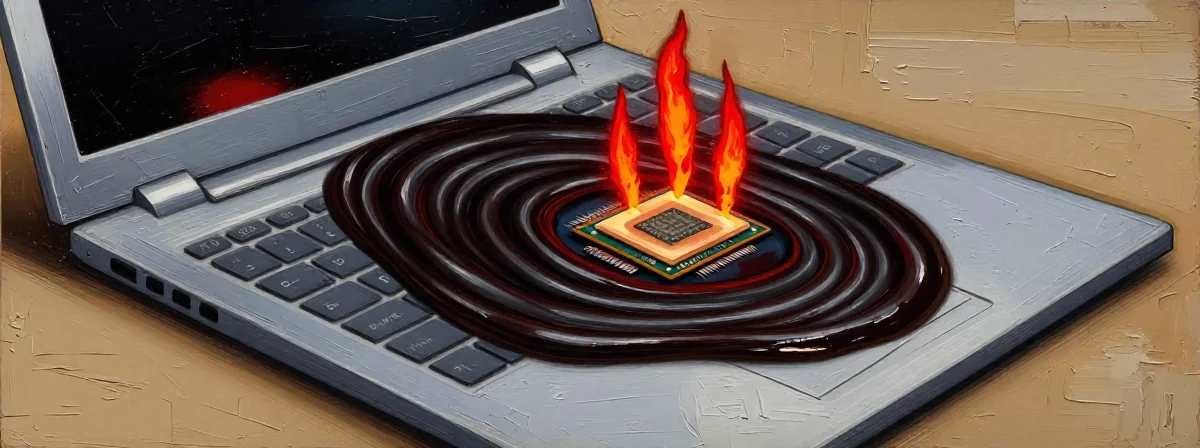
Some laptops are like old friendships—they serve you well for years, but then something shifts. The performance dips, the heat rises, and you’re left wondering what went wrong. Often, the culprit isn’t the hardware itself but something far more subtle: the thermal paste. This unassuming gray goop sits between your CPU and heatsink, bridging the gap between your device’s core and its cooling system. Yet, few of us think about it until it’s too late.
The truth is, thermal paste isn’t eternal. Even the best solutions, like the Honeywell PTM7950, can degrade over time. I’ve seen it happen—laptops that were once zippy now struggle under the weight of their own heat. And when the paste dries out, it’s like trying to drink through a straw that’s half-clogged: the flow of heat slows, and the system overheats.
But here’s the twist: many of us focus on the fans—the whirring, visible components—while the real problem lies hidden beneath the surface.
Why Your Laptop’s Thermal Paste Might Be the Silent Saboteur
Imagine a bridge that starts to crumble from the inside. On the surface, it looks fine, but the foundation is weakening. That’s what happens when thermal paste ages. It starts as a conductive gel, designed to transfer heat efficiently. But over months or years, it hardens, cracks, or even becomes electrically conductive—turning from a helper into a hazard.
I’ve serviced laptops where the owner replaced the fans multiple times, only to find the same overheating issue recurring. The real fix? Reapplying thermal paste. It’s like changing the oil in a car—you don’t see it, but without it, the engine burns out.
The Honeywell PTM7950 and the Myth of “Permanent” Solutions
The Honeywell PTM7950 is a name that comes up often in high-performance cooling. It’s designed to last, but “last” doesn’t mean forever. Even the best thermal pastes have a shelf life. Think of it like a jar of honey left in the sun—it might solidify, making it harder to spread. The same happens inside your laptop.
What many don’t realize is that thermal paste isn’t just about initial application—it’s about maintenance. If you’re using no-name Chinese paste or salvaged components, you’re playing with fire. These solutions might seem cost-effective, but they often dry out faster, leaving you back at square one.
The Fan Dilemma: When the Symptom Masks the Disease
Replacing fans is like treating a fever with aspirin without addressing the infection. The fans are working harder because the thermal paste isn’t doing its job. It’s a classic case of treating symptoms instead of the root cause.
I’ve seen users swap out fans every six months, only to find the laptop still overheats. The real issue? The paste had turned into a thermal resistor—blocking heat rather than conducting it. It’s like trying to cool a pot of soup with a spoon instead of a fan.
No-Name Thermal Paste: The Shortcut That Costs More in the Long Run
The temptation to use cheap or salvaged thermal paste is understandable. After all, why spend extra when the laptop seems fine? But here’s the paradox: the money you save upfront can cost you in repairs later. No-name pastes often have shorter lifespans, leading to repeated failures.
It’s like patching a leaky roof with duct tape—it might hold for a while, but the rain will find its way back in. The same goes for thermal paste. A quality solution might cost more, but it’s an investment in longevity.
The Cycle of Overheating: Breaking the Vicious Loop
Overheating isn’t a one-time event—it’s a cycle. The more the laptop heats up, the faster the paste degrades. The faster the paste degrades, the more the fans struggle. It’s a downward spiral that’s hard to escape without addressing both components.
Think of it like a garden: you can’t just water the leaves and expect the roots to thrive. You need to nurture the entire system. For laptops, that means both the fans and the thermal paste.
What Laptop Repair Experts Won’t Tell You (Because They Assume You Know)
Here’s a secret most technicians take for granted: thermal paste needs regular inspection. It’s not a “set it and forget it” solution. Yet, few users are told this until it’s too late.
The reason? Time. Technicians are often racing to fix the immediate problem—overheating—without explaining the underlying cause. It’s like a doctor prescribing painkillers without diagnosing the illness. The relief is temporary, and the problem persists.
The Single Idea That Changes Everything
Laptop maintenance isn’t just about replacing parts—it’s about understanding the silent systems that keep them running. Thermal paste is the unsung hero of cooling, and its degradation is often the hidden reason for performance loss.
Before you replace the fans again, pause. Ask yourself: when was the last time I checked the thermal paste? The answer might surprise you—and it could save you from a cycle of overheating and frustration.