
People keep asking me why their apps update at different times—even when they have automatic updates turned on. It’s a puzzle that’s been bugging users for years. Here’s the thing nobody’s talking about—the real reason behind those delayed updates isn’t just about convenience—it’s a complex dance between user safety, developer needs, and server stability.
Following the Trail
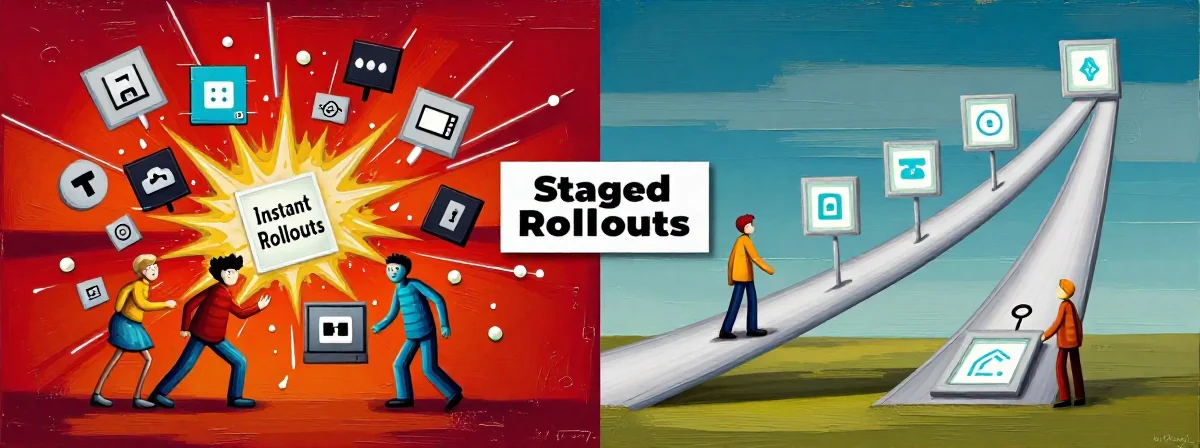
SIDE A: Instant Updates Instant updates deliver the latest version of an app the moment it’s released. If you manually check for updates, you’ll always get the freshest version available. This system is straightforward for users who want the newest features or fixes without waiting. It’s ideal for those who rely on cutting-edge functionality and don’t mind taking on the responsibility of ensuring their device can handle the update. The evidence is clear: when you click “update” yourself, you bypass the staging system entirely and get the full version immediately.
SIDE B: Staged Rollouts Staged rollouts, on the other hand, spread updates over days or even weeks. This method prioritizes stability—updates are released gradually to prevent server overload and allow developers to monitor for bugs. The clues are in the details: developers often control the pace of these rollouts, and users who rely on automatic updates might wait days or weeks to get the latest version. This approach is a no-brainer for large-scale deployments, as it avoids peak load issues and gives developers breathing room to catch any issues before they affect everyone.
THE REAL DIFFERENCE Here’s what most people miss: staged rollouts are a balancing act between user experience and system integrity. While instant updates seem appealing, they can brick devices or cause data corruption if not tested properly. The evidence shows that automatic updates don’t mean instant updates—they’re a set-it-and-forget-it system designed to work in the background without disrupting your day. The thing nobody talks about is that staged rollouts aren’t just about convenience—they’re a failsafe. If something goes wrong, only a fraction of users are affected at first. After years of using both, I’ve seen how this system prevents widespread issues that could otherwise cripple entire user bases.
THE VERDICT From experience, if you’re a developer or someone who needs the latest features right away, instant updates are the clear winner. You can always manually update and take responsibility for any issues. But if you’re a casual user who wants a hassle-free experience without worrying about update failures, staged rollouts are the safer bet. If you’re doing development work, go with instant updates. If you’re just using apps day-to-day, B’s the clear winner—staged rollouts will save you headaches.
None
The key takeaway is to understand the trade-offs. If you need the newest version immediately, don’t rely on automatic updates—check manually. But if you’d rather avoid potential update disasters, let the system do its job. Trust the process—staged rollouts are there for a reason, and they often keep your device running smoothly without you even noticing.