
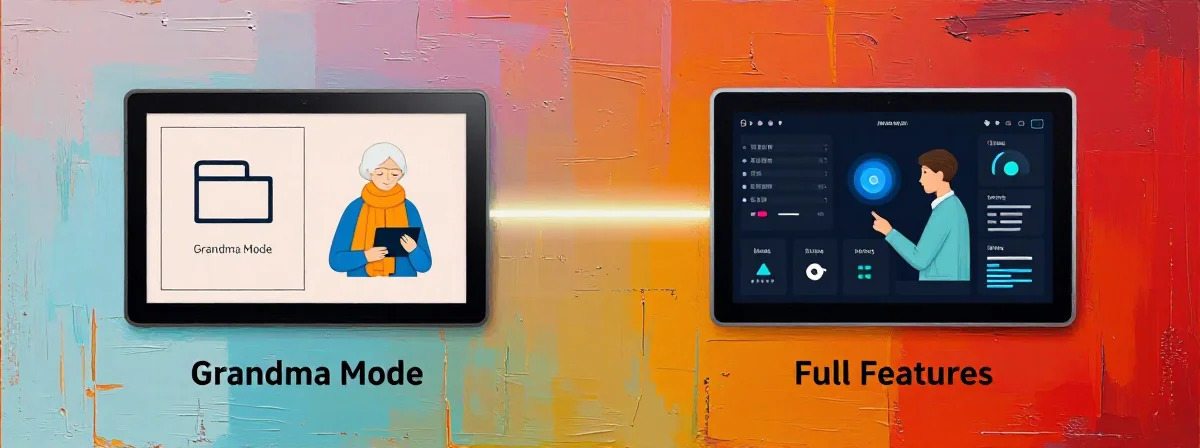
I’ve been using both for years now—first the simplified “Grandma mode” that companies hide deep in their accessibility settings, and then the full-featured versions that come standard. People keep asking me which one is better, and here’s the thing nobody’s talking about…
The Good Stuff
SIDE A Grandma mode is like that comfortable pair of slippers you keep in the back of your closet. It’s simple, predictable, and does exactly what it says on the tin—usually with larger text, simplified menus, and fewer options. It’s perfect for when you’re tired, stressed, or just want something that works without thinking. I’ve seen my mom use this mode when she’s having a bad day and just needs to make a call or check her email without the usual tech anxiety. It’s not flashy, but it gets the job done reliably.
SIDE B The full-featured version is like a Swiss Army knife—packed with tools you might never use, but when you need one specific function, it’s there. This is the standard mode most of us use daily, with all the bells and whistles, customization options, and advanced features. I’ve spent countless hours navigating these complex interfaces, and while they can be overwhelming, they offer capabilities that simplified modes just can’t match. Sometimes you need that extra functionality, even if you only use 20% of it.
THE REAL DIFFERENCE Here’s what most people miss: these aren’t mutually exclusive choices. After years of using both, I’ve realized that the best approach is to think of them as different tools in your tech toolkit. I’ve toggled between modes multiple times in a single day—Grandma mode when I’m trying to quickly show something to my elderly parents, then switching back to full features when I need to do something complex. The thing nobody talks about is that many of these “simplified” modes actually have their own hidden complexities once you start customizing them. They’re not just watered-down versions; they’re fundamentally different interfaces with different design philosophies.
THE VERDICT From experience, if you’re doing quick tasks or showing technology to less tech-savvy people, Grandma mode’s the clear winner. But if you’re doing anything beyond basic functions, you’ll quickly outgrow it. Here’s my take: keep both accessible. Don’t permanently commit to one or the other. If you’re doing complex work, stay in full features. If you’re helping someone who gets overwhelmed by technology, definitely use the simplified mode. After using both for years, I’ve found that the most effective tech users are the ones who can seamlessly switch between modes as needed.
You know those days when you’re so tired you can barely see straight? That’s when Grandma mode isn’t just helpful—it’s essential. But then there are days when you need every feature at your fingertips. The beauty is that you don’t have to choose forever. Make it a habit to switch modes based on your needs in the moment, and you’ll find your relationship with technology becoming much healthier—and probably a lot less stressful.